
Magento 2.4.6 End-of-Support: Upgrade and Migration Guide for Store Owners
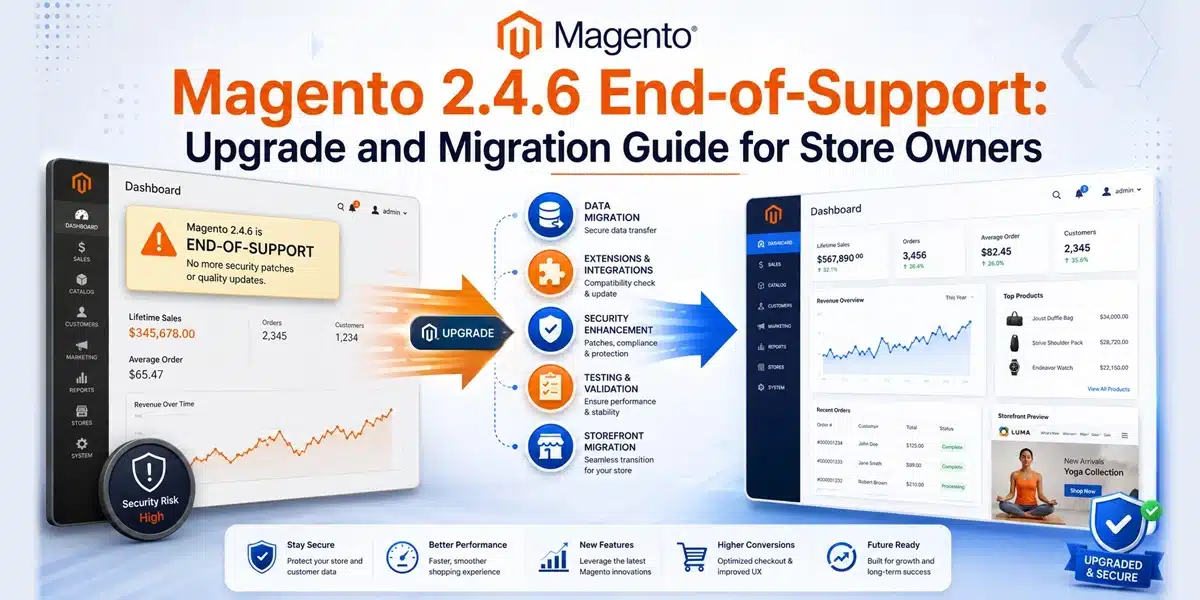
TL;DR: What Should Magento 2.4.6 Store Owners Do?
Magento 2.4.6 standard support ends on August 11, 2026. Your store will continue running, but security coverage, extension compatibility, and infrastructure support may become harder to manage.
- Magento Open Source: Plan an upgrade or migration now because extended Adobe Commerce support does not apply.
- Adobe Commerce: Confirm your extended-support eligibility, but also check PHP, database, search, and hosting lifecycles separately.
- Upgrade path: Evaluate Magento 2.4.9 first. Use 2.4.8 when extensions, hosting, or custom code are not yet compatible.
- Migration path: Consider Shopify, Shopify Plus, BigCommerce, WooCommerce, or Adobe Commerce as a Cloud Service if Magento maintenance and technical debt are limiting the business.
- Before starting: Audit extensions, custom code, integrations, checkout, infrastructure, data, and SEO.
- If delayed: Apply available patches, strengthen admin security, use a web application firewall, and continue the permanent upgrade or migration in parallel.
Your Magento 2.4.6 store will not suddenly stop working on August 12, 2026. Customers may still browse products, place orders, and use their accounts.
The real issue is what happens after Adobe’s standard support ends on August 11, 2026. As the release gets older, security coverage changes, extensions may stop supporting it, and the technology around your store can become harder to maintain.
Waiting until the deadline can turn a planned upgrade into an urgent project. Your team may have less time to replace incompatible extensions, resolve custom code conflicts, test checkout, and prepare for a safe launch.
As a store owner, you have three practical choices:
- Upgrade to a supported Magento version
- Migrate to another ecommerce platform
- Move to Adobe Commerce as a Cloud Service
This guide will help you decide which path makes sense, understand what could block the project, and prepare your store without rushing the launch.
When Does Magento 2.4.6 Support End?
Adobe lists August 11, 2026 as the end of standard support for the Magento 2.4.6 release line. However, this does not mean every Magento 2.4.6 merchant loses all coverage on the same day.
What Changes After August 11, 2026?
Your storefront does not automatically shut down. The change relates to the support, patches, and maintenance available for the release.
Magento Open Source merchants do not receive Adobe Commerce extended-support patches. Adobe Commerce 2.4.6 customers receive extended support through August 30, 2027, followed by a limited security-only period through May 31, 2028. Adobe states that these additional provisions apply only to Adobe Commerce customers.
Your edition therefore changes how quickly you need to act.
Magento 2.4.x Support Timeline
| Magento release | General availability | End of standard support |
|---|---|---|
| 2.4.4 | April 12, 2022 | April 12, 2025 |
| 2.4.5 | August 9, 2022 | August 12, 2025 |
| 2.4.6 | March 14, 2023 | August 11, 2026 |
| 2.4.7 | April 9, 2024 | May 31, 2027 |
| 2.4.8 | April 8, 2025 | May 31, 2028 |
| 2.4.9 | May 12, 2026 | May 31, 2029 |
Adobe’s lifecycle policy page should be treated as the primary source, as some older Adobe pages and third-party articles may list different dates.
How to Confirm Your Version and Edition
In the admin, check the footer of any page or open System → Reports → Bug Report. By command line, run php bin/magento –version.
To confirm your edition, check whether composer.json requires magento/product-community-edition (Open Source) or magento/product-enterprise-edition (Adobe Commerce).
Do this before anything else in this guide, because every decision below depends on the answer.
What Are the Risks of Staying on Magento 2.4.6?
Will Magento 2.4.6 stop working after the deadline? No. The risk is not that your store breaks. It is that fixes stop arriving while attackers keep looking.
It is also worth being precise here: not every 2.4.6 store becomes unsupported on August 12. Adobe Commerce customers may still hold extended coverage. But your third-party dependencies do not inherit that extension, which is where most merchants are actually exposed.
Security and Patch Coverage
Once the support coverage applicable to your edition ends, newly discovered vulnerabilities may not receive fixes for Magento 2.4.6.
This can leave your team choosing between:
- Creating a custom fix
- Paying for third-party protection
- Accepting the exposure
- Completing an emergency upgrade
A planned upgrade gives you time to test. An emergency upgrade usually does not.
PHP End of Life and PCI Compliance
This is the deadline inside the deadline, and most merchants miss it.
Adobe’s lifecycle policy states that PHP 8.1 reached end of life on December 31, 2025, affecting stores running 2.4.4, 2.4.5 and 2.4.6 on that version. Adobe’s assessment is that PCI compliance is at risk, because security vulnerabilities in PHP itself may no longer receive fixes.
PHP 8.2 reaches end of life on December 31, 2026, which affects Magento 2.4.6 stores running it. Adobe advises merchants on affected versions to plan an upgrade or migration before the end of 2026 to maintain PCI compliance.
Read that against your Magento deadline. An Adobe Commerce merchant with extended support to August 2027 may still have a PCI problem at the end of 2026 if the store runs PHP 8.2. Magento support and PHP support are separate clocks, and the PHP one usually runs out first.
Adobe is explicit that PCI compliance is the merchant’s responsibility to assess, and recommends consulting your qualified security assessor.
Unsupported Infrastructure
Magento does not operate alone. It depends on PHP, databases, search services, caching, message queues, Composer packages, and hosting infrastructure.
These technologies have their own support timelines. Adobe specifically notes that extended Commerce support does not extend support for third-party dependencies such as MySQL.
Your Magento version may continue receiving limited coverage while an underlying dependency is already outdated. Check your stack against Adobe’s system requirements.
Extension and Integration Problems
Payment, shipping, tax, search, ERP, CRM, and marketing vendors eventually focus their testing on newer Magento versions.
An old extension may continue working today but fail after:
- An API update
- A payment-provider change
- A PHP upgrade
- A hosting change
- A security patch
- A browser or checkout update
This is why store owners should not treat end of support as only a Magento-core problem.
Should You Upgrade Magento or Migrate to Another Platform?
The right decision depends on whether Magento is still helping your business or simply consuming more development time.
Upgrade Magento When the Platform Still Fits
An upgrade is usually the better path when:
- Your custom features create real business value
- Your catalog or pricing rules are complex
- Your ERP, PIM, or B2B systems are deeply integrated
- Your team understands Magento operations
- Your maintenance costs remain reasonable
In this case, moving to a supported Magento version may be less disruptive than rebuilding the store elsewhere.
Migrate When Magento Has Become a Limitation
A platform migration may make more sense when:
- Routine changes require too much development
- Technical debt slows every release
- Extension conflicts happen regularly
- Infrastructure costs are difficult to control
- Your store already needs a redesign or rebuild
- Your team wants a more managed SaaS platform
Do not decide based only on the initial migration price. Compare the cost of operating each option over the next three years.
Consider Adobe Commerce as a Cloud Service
Adobe Commerce as a Cloud Service is another migration path for Adobe Commerce businesses. Adobe documents full and incremental migration approaches, depending on the merchant’s size and customization level.
Worth knowing when you weigh this option: Adobe describes Adobe Commerce as a Cloud Service as its recommended long-term destination for Adobe Commerce on Cloud customers, on the basis that Adobe manages infrastructure, patching and upgrades, which removes the recurring end-of-life cycle. Adobe has also published a Cloud version upgrade enforcement policy that applies to unsupported versions.
This is not a standard version upgrade. Existing storefronts, customizations, and integrations may need to be redesigned for the SaaS architecture.
Upgrade Versus Migration at a Glance
| Upgrade Magento | Migrate to another platform | |
|---|---|---|
| Best fit | Magento still fits the business model | Platform cost outweighs value |
| Project complexity | Moderate to high | High |
| Customization | Retained in full | Usually reduced |
| Infrastructure | Yours or your host’s | Vendor-managed |
| Integration impact | Contained | Every integration rebuilt |
| Ongoing maintenance | Platform-owned | Vendor-owned |
| Project risk | Lower | Higher |
| Long-term fit | Complex B2B catalogs | Simplified operations |
Should You Upgrade Magento 2.4.6 to 2.4.8 or 2.4.9?
Do not automatically choose the next available version. Select a release that gives your store enough support runway without creating unacceptable compatibility risk.
When Magento 2.4.8 Makes Sense
Magento 2.4.8 may be the practical target when your extensions, hosting environment, integrations, or custom code are not yet ready for 2.4.9.
It also has a more established extension ecosystem because it has been available longer.
When Magento 2.4.9 Makes Sense
Magento 2.4.9 should be evaluated first when your technology stack supports it. It was released on May 12, 2026 and has the longest standard-support window in the current 2.4.x release line.
Adobe Commerce 2.4.9 supports PHP 8.4 and 8.5. PHP 8.3 is allowed for upgrade purposes but is not recommended for production. See PHP supported versions for current status.
Before selecting 2.4.9, confirm support for:
- Extensions
- Payment modules
- Custom checkout code
- PHP
- OpenSearch
- Database services
- Composer dependencies
- Hosting infrastructure
The best target is the newest supported release your complete store can run reliably.
Which Ecommerce Platform Can You Migrate to From Magento?
Choose a platform based on your catalog, integrations, checkout logic, B2B needs, and maintenance capacity. Magento features may need to be migrated, rebuilt, replaced, or removed.
Magento to Shopify
Shopify is best for B2C stores that want managed hosting, simpler administration, and lower maintenance. See our Shopify development services.
How to migrate:
- Export products, customers, orders, and content from Magento.
- Map Magento attributes and configurable products to Shopify.
- Rebuild the theme, apps, payments, shipping, and integrations.
- Add 301 redirects, test checkout, and complete the final data sync.
Magento to Shopify Plus
Shopify Plus suits larger brands with multiple stores, B2B customers, high order volumes, or complex integrations. See our ecommerce migration and upgrade services.
How to migrate:
- Map Magento websites, store views, and customer groups to Shopify Plus.
- Transfer catalog, customer, B2B, and order data through APIs.
- Rebuild ERP, PIM, OMS, and checkout integrations.
- Test pricing, taxes, order routing, and regional storefronts before launch.
Magento to BigCommerce
BigCommerce is a strong fit for stores with complex catalogs, B2B workflows, and API-driven integrations. See our BigCommerce development services.
How to migrate:
- Export Magento products, variants, categories, customers, and orders.
- Map Magento attributes to BigCommerce options, variants, and custom fields.
- Rebuild the storefront and reconnect ERP, PIM, payment, and shipping systems.
- Test catalog rules, URLs, checkout, and inventory synchronization.
Magento to WooCommerce
WooCommerce works well for content-led businesses already using WordPress. See our WooCommerce development services.
How to migrate:
- Set up WordPress, WooCommerce, hosting, caching, and security.
- Import Magento products, customers, orders, and categories.
- Rebuild the theme and replace Magento extensions with WooCommerce plugins.
- Configure payments, shipping, taxes, redirects, and checkout testing.
Magento to Adobe Commerce as a Cloud Service
Adobe Commerce as a Cloud Service suits enterprises that want to stay within Adobe’s ecosystem while moving to a SaaS architecture.
How to migrate:
- Audit Magento data, custom code, extensions, storefronts, and integrations.
- Move catalog, customer, and order data using Adobe’s migration tools.
- Rebuild storefronts and convert PHP extensions to supported SaaS integrations.
- Test pricing, catalog views, APIs, and external-system synchronization.
What Can Block a Magento 2.4.6 Upgrade?
Extensions are often the first major blocker. Some can be upgraded, some must be replaced, and others may no longer be necessary.
Your technical audit should also identify:
- Core overrides
- Custom modules
- Checkout modifications
- Theme dependencies
- Outdated Composer packages
- Unsupported PHP versions
- Search and database conflicts
- ERP, CRM, and PIM integrations
- Payment and shipping dependencies
Do not wait until development starts to discover these issues. The audit should determine the project scope, target version, cost, and timeline.
How Much Does a Magento Upgrade or Migration Cost?
A reliable estimate requires a technical audit. Two stores running the same Magento version can have completely different upgrade requirements.
A lightly customized store with a standard theme and a small number of extensions will require less work than a store with custom pricing, ERP integration, multiple websites, B2B workflows, and a modified checkout.
Ask your agency or development partner to separate the estimate into:
- Technical discovery
- Core upgrade
- Infrastructure updates
- Extension replacement
- Custom-code remediation
- Theme work
- Integration updates
- Testing
- SEO migration
- Deployment
- Post-launch monitoring
This makes it easier to compare proposals and identify work that may have been missed.
How Long Does a Magento Upgrade or Migration Take?
A standard Magento upgrade normally requires weeks, not days. A highly customized store or full replatforming project may require several months.
The timeline is mainly affected by:
- Number of extensions
- Custom-code depth
- Integration count
- Theme complexity
- Data volume
- Hosting changes
- Testing requirements
- Internal approval time
Do not measure the schedule only by development time. Checkout testing, user acceptance testing, content review, redirect validation, and launch preparation all require time.
How Do You Upgrade Magento 2.4.6 Safely?
A safe upgrade should follow a controlled process.
Audit and Select the Target Version
Confirm your version, edition, patch level, hosting model, extensions, integrations, and custom code. Then select the target Magento version.
Build and Upgrade in Staging
Create a staging environment that closely matches production. Update the required PHP, database, search, caching, and Composer dependencies before upgrading Magento core.
Never use the live store as the first upgrade environment.
Resolve Compatibility Issues
Update, replace, or remove incompatible extensions. Refactor custom modules, checkout changes, and theme code where required.
Test the Complete Store
Testing should include:
- Product browsing and search
- Customer accounts
- Cart and checkout
- Payments and refunds
- Shipping and tax
- Promotions
- Transactional emails
- ERP and inventory synchronization
- Analytics and tracking
- Mobile usability
- Admin workflows
Prepare the Launch and Rollback
Choose a lower-risk deployment window. Prepare fresh backups, final data synchronization, maintenance-mode messaging, monitoring, and a tested rollback process.
How Do You Protect Data and SEO During a Magento Migration?
A platform migration is not just a product-data transfer. You may also need to preserve customers, orders, reviews, promotions, inventory, gift cards, store credit, and historical business records.
SEO requires its own workstream.
Before development begins, crawl the existing store and record:
- Indexable URLs
- Page titles and metadata
- Canonical tags
- Structured data
- Internal links
- XML sitemaps
- Robots directives
- Organic landing-page performance
Preserve high-value URLs where possible. When a URL must change, create a direct 301 redirect to the closest equivalent page.
Avoid redirecting large groups of deleted products or categories to the home page. This creates a poor customer experience and weakens the relevance of the redirect.
What Should You Do If You Cannot Upgrade in Time?
Do not wait without a plan. Start the permanent project and reduce exposure while the work is underway.
Apply the latest security release available for your version and edition. Keep PHP, database, search, and other infrastructure dependencies on supported versions.
You should also:
- Use a web application firewall
- Consider virtual patching
- Enforce two-factor authentication
- Remove inactive admin accounts
- Restrict admin access where practical
- Monitor files and application logs
- Review unusual customer and administrator activity
Adobe’s Quality Patches Tool provides individual quality fixes for Adobe Commerce and Magento Open Source. Adobe states that it is for quality patches only and directs merchants to separate security-patch resources for security fixes.
These measures can buy time, but they do not replace a supported platform version. Ongoing Magento maintenance and support can cover the gap while the upgrade is scheduled.
Magento Upgrade and Migration Mistakes to Avoid
The most expensive mistakes usually happen when teams rush the project or fail to audit the existing store.
Avoid:
- Upgrading directly on production
- Assuming all extensions are compatible
- Ignoring custom checkout code
- Choosing a version with limited support runway
- Underestimating hosting changes
- Skipping payment and order testing
- Migrating without a complete data inventory
- Launching without SEO redirects
- Deploying without a rollback plan
A technically successful launch is not enough. Orders, payments, integrations, tracking, and organic traffic must continue working.
Magento 2.4.6 Upgrade and Migration Checklist
Before moving forward, confirm that your team has completed the following:
- Verified the Magento version, patch level, and edition
- Checked the support timeline that applies to the store
- Audited extensions, custom code, and integrations
- Selected an upgrade version or migration platform
- Reviewed PHP, database, search, and hosting requirements
- Created complete backups
- Built a production-like staging environment
- Tested storefront, checkout, payments, and integrations
- Validated migrated data and SEO redirects
- Prepared deployment, monitoring, and rollback plans
Your Next 30 Days
Use the first few days to confirm your version, edition, and deadline. Spend the next week auditing extensions, code, infrastructure, and integrations.
Once the blockers are clear, compare the cost and business impact of upgrading versus migrating. Then select the target version or platform and begin staging work.
Do not rush an untested release simply to meet the date. The right goal is to reduce risk with a controlled upgrade or migration that protects orders, customer data, integrations, and organic traffic.
Get a Magento 2.4.6 Upgrade and Migration Assessment
CommerceShop is a certified Adobe Commerce partner and has worked with more than 1,000 online stores since 2009, specializing in B2B manufacturers and distributors running complex catalogs, multi-warehouse inventory, and ERP integrations.
An assessment covers upgrade readiness, extension compatibility, custom-code risks, migration feasibility, timeline and cost, and your security and SEO priorities.
Magento 2.4.6 Upgrade and Migration FAQs
Can Magento 2.4.6 be upgraded directly to Magento 2.4.9?
Yes, in most cases. You do not need to upgrade through every version, but PHP, Composer, OpenSearch, extensions, and custom code must support Magento 2.4.9.
Will customers need to reset their passwords after migration?
Possibly. Some platforms cannot import Magento password hashes, so customers may need to activate their accounts or create new passwords.
Can Magento order history be moved to the new platform?
Yes, but historical orders often require APIs or migration tools. Products and customers should be migrated first to preserve order relationships.
Can I keep the same domain after migrating from Magento?
Yes. You can keep the same domain and update its DNS records to point to the new platform during launch.
Do I need to redesign my website during migration?
Not always, but Magento themes cannot usually be transferred directly. The storefront must be rebuilt using the destination platform’s theme or frontend framework.
Can Magento migration be completed without major downtime?
Yes. Complete most migration work while the current store remains live, then run a final data sync and DNS switch during the launch window.
How long should Magento migration redirects remain active?
Keep 301 redirects for at least one year. Retain important redirects longer when old URLs still receive backlinks, traffic, or customer visits.
Should product SKUs remain the same after migration?
Yes, where possible. Consistent SKUs help preserve ERP, PIM, inventory, marketplace, and reporting connections.

