Squarespace to Shopify Migration — Expert-Led, Zero Downtime

Ready to migrate from Squarespace to Shopify? Our expert team moves your products, orders, customer data, and content with zero data loss and zero disruption to your business.
eCommerce Giants Swear By Us!


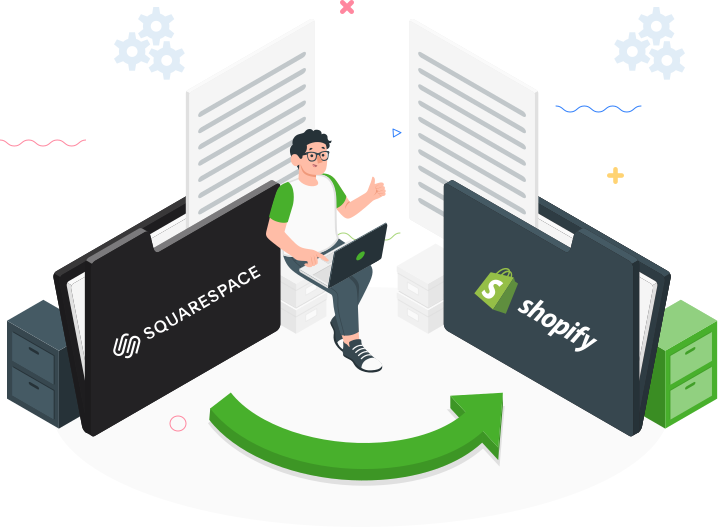
Squarespace to Shopify Migration Services

As a trusted Squarespace to Shopify migration company since 2009, CommerceShop has helped 250+ brands make the switch successfully. We protect every product, order, customer record, and content page during migration — with zero data loss, preserved SEO rankings, and no downtime. Your Shopify store launches ready to sell.


16+

Years in The Industry

250+

Successful Migrations

50+

Certified Professionals

100%

Accuracy in Migration


Squarespace Vs Shopify – Key Insights & Challenges

Squarespace

  • Squarespace’s drag-and-drop interface makes designing and managing your website easy.
  • While Squarespace’s templates are beautiful, they can be restrictive for users seeking highly unique designs.
  • Large Squarespace websites may experience slower loading times and performance issues.
  • Squarespace has fewer third-party integrations and plugins limiting functionality for businesses with specific needs.
  • Charges fees for using third-party payment gateways

Shopify

  • Robust platform that handles growth effectively but can become costly with advanced features.

  • Extensive themes and plugins, allowing for deep customization but requiring technical know-how.
  • Quick load times and robust SEO features enhance user experience and boost search rankings.
  • Large selection of apps and integrations, enhancing functionality and marketing capabilities.
  • Additional fees if not using Shopify Payments, affecting overall cost efficiency.
Nash

Nash Ogden,
Ecommerce Specialist

Not Sure if a Squarespace to Shopify Migration Is Right for You?

Book a free 30-minute assessment with our Squarespace to Shopify migration specialists and understand whether the switch is right for your business — and what it would involve.

Pick a Time Now

Effortless Migration from Squarespace to Shopify

How Our Squarespace to Shopify Migration Services Work — Step by Step

Source Cart Setup Source Cart Setup:

Access your Squarespace admin panel and collect the required credentials and details.

Target Cart Setup Target Cart Setup:

Go to Shopify’s site and choose “Shopify” as your destination platform. Follow the setup instructions to create your new Shopify store environment.

Supercharge Your Sales Choose The Data To Migrate:

Select everything you need to move from Squarespace to Shopify — products, customers, orders, categories, blog posts, and media. Your dedicated Squarespace to Shopify migration agency configures every option to match your exact requirements.

Launch Migration Launch Migration:

Launch the migration from Squarespace to Shopify. Once completed, your store’s data will be fully transferred and ready for management.

Switch Today – Move From Squarespace to Shopify!

Effortless Migration: Excel in Your Squarespace to Shopify Transition

Why Choose CommerceShop as Your Squarespace to Shopify Migration Agency?

&nbsp Smooth Transition:

Your Squarespace to Shopify migration runs seamlessly from kickoff to go-live — your store stays live, your customers keep shopping, and your business never misses a beat.

&nbsp Custom Migration Strategy:

Every Squarespace to Shopify migration starts with a scoped plan built around your catalogue, integrations, and timeline — minimising disruptions at every step and setting your Shopify store up for immediate success.

&nbsp Accurate Data Transfer:

We safely transfer every critical asset — products, variants, customers, orders, blog content, and media — with validation checks at every stage to guarantee zero data loss.

&nbsp Enhanced Efficiency:

Post-migration, we optimise your Shopify store for Core Web Vitals, SEO rankings, and conversion — so your new store doesn’t just launch, it grows from day one.

Growth delivered, guaranteed

Hear It From Our Clients!

Frequently Asked Questions

Answer:

SEO loss is prevented by preserving intent and equity through a clean redirect + URL mapping + on-page parity approach. That includes:

  • Building a complete 301 redirect map (old URLs → new URLs)
  • Preserving title tags, meta descriptions, H1s, copy, internal links where needed
  • Rebuilding collections/category architecture without breaking topical relevance
  • Validating indexation, canonicals, and sitemap after launch

The goal is “same search meaning, better technical foundation.”

Answer:

Don’t “wing it.” URL changes should be deliberate and mapped. Best practice:

  • Keep high-performing URLs as close as possible to the original structure
  • If Shopify requires a new structure (e.g., /products/), rely on perfect 301s + updated internal links
  • Avoid redirect chains (A→B→C) and redirect loops
  • Re-test top landing pages and backlinks to ensure they resolve to the correct final URL

This is one of the biggest hidden causes of post-migration ranking drops.

Answer:

The key is data normalization before import. Squarespace product data often needs cleanup to match Shopify’s structure:

  • Variants/options (size, color) mapped consistently
  • SKUs, barcodes/GTINs, inventory rules, pricing, compare-at pricing
  • Product images, alt text, and ordering
  • Collections mapping and product tags for navigation + filtering

A good migration includes validation scripts/checks to catch missing variants, broken images, or duplicated SKUs before launch.

Answer:

Customers and some order data can be migrated, but the “how” depends on your needs. Typically:

  • Customer records can migrate (name, email, addresses)
  • Order history can be imported for reporting/reference, but customers may not always see full native history in the same way as the original platform
  • Passwords usually can’t be transferred securely, so customers may need account re-activation

If retention and support are priorities, plan for a post-migration “account continuity” flow.

Answer:

Successful migrations treat collections as a merchandising system, not just data buckets. You want:

  • Collection logic that matches real buyer intent (use case, category, compatibility, price tier)
  • Clean filters (Shopify Search & Discovery or custom) aligned to how people shop
  • Internal linking between collections, best sellers, and key guides
  • UI/UX parity where it matters (PDP hierarchy, trust blocks, delivery/returns visibility)

This improves both conversion and AI “understandability” of your catalog structure.

Answer:

Treat it like a release checklist. Critical checks include:

  • Pre-launch: crawl the full Squarespace site, export top pages, build redirect map, confirm metadata parity, set canonicals.
  • Post-launch: verify redirects, indexability, canonical tags, sitemap submission, structured data, broken links, and page speed.

Also validate analytics (GA4 events), paid tracking, and shopping feeds—because “SEO-safe” isn’t only organic.

Answer:

Shopify themes and apps can produce schema—sometimes inconsistently. You want:

  • Valid Product schema (price, availability, variants where relevant)
  • Consistent Breadcrumb schema for collections and product hierarchy
  • Review schema only if it’s legitimate and matches visible on-page content
  • Avoid duplicate/conflicting schema from multiple apps

Clean schema improves eligibility for rich results and helps AI systems extract accurate product facts.

Answer:

Blog migrations fail when content is copied but not relinked and restructured. Best approach:

  • Preserve post URLs when possible; otherwise 301 every post
  • Maintain category/tag architecture intentionally (don’t flatten everything)
  • Fix internal links inside posts (old Squarespace URLs → new Shopify URLs)
  • Keep author/date signals and improve formatting for scannability (FAQs, tables, comparisons)

This protects topical authority and supports AEO/GEO visibility for informational queries.

Answer:

AEO/GEO readiness is about being citable and unambiguous. After migration, prioritize:

  • PDP upgrades: clear specs, compatibility, shipping/returns clarity, and buyer FAQs
  • Category hubs that answer “best / vs / alternatives / how to choose” questions
  • Consistent policy pages and trust signals (about, support, warranty, returns)
  • Structured content blocks that AI can summarize without guessing

Migration is the best time to rebuild pages into “answer-ready” formats that drive conversion too.

Answer:

SKU count is only one variable. Real cost drivers include:

  • Number of pages/blog posts and URL complexity (redirect workload)
  • Variants/options complexity and catalog cleanup needs
  • Theme rebuild scope (custom design vs template adaptation)
  • Apps/integrations (email, subscriptions, ERP, shipping rules, tax engines)
  • SEO/AEO/GEO enhancements (PDP FAQ systems, comparison content, schema cleanup)

A good estimate comes from a quick audit of data + site architecture + desired outcomes.

Get in Touch

Ready to Migrate from Squarespace to Shopify? You’re in the Right Place.

Squarespace to Shopify Migration Services | CommerceShop