Wix to Shopify Migration — Scalable, Expert-Led, Zero Downtime

Outgrowing Wix? Migrate from Wix to Shopify and unlock a platform built for serious eCommerce — without losing a single product, order, or customer record in the move.

Wix to Shopify

eCommerce Giants Swear By Us!

Wix to Shopify Migration Services

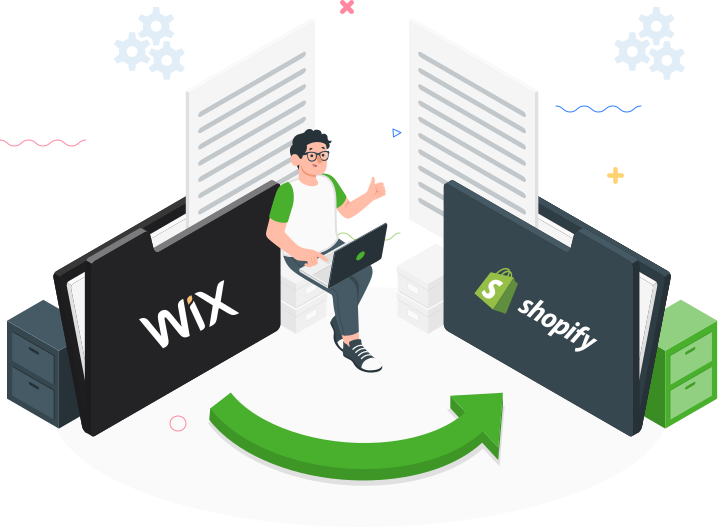
CommerceShop is a dedicated Wix to Shopify migration company with 15+ years and 250+ completed migrations. When you outgrow Wix’s scalability limits, we move your entire store — products, orders, customer accounts, and content — to Shopify with zero data loss and no disruption to your sales. Your new store launches optimised and ready to grow.


16+

Years in The Industry

250+

Successful Migrations

50+

Certified Professionals

100%

Accuracy in Migration


Wix Vs Shopify – Key Insights & Challenges

Wix

  • User-friendly drag-and-drop interface but limited scalability for growing businesses.
  • Basic design options with less flexibility compared to other platforms.
  • Slower load times that can impact user experience and SEO.
  • Smaller app marketplace with fewer advanced integrations.
  • Higher fees for using third-party payment gateways

Shopify

  • Robust platform that handles growth effectively but can become costly with advanced features.
  • Extensive themes and plugins, allowing for deep customization but requiring technical know-how.
  • Fast load times and strong SEO features for improved user experience and search rankings.
  • Large selection of apps and integrations, enhancing functionality and marketing capabilities.
  • Additional fees if not using Shopify Payments, affecting overall cost efficiency.
Nash

Nash Ogden,Ecommerce Expert

Have Questions About Your Wix to Shopify Migration?

Book a free 30-minute session with our Wix to Shopify migration specialists — get a clear scope of what your migration involves, what it costs, and exactly what changes for your customers.

Book My Slot

Transform Your Business with Effortless Wix to Shopify Migration

How Our Wix to Shopify Migration Services Work — 4 Clear Steps

Source Cart Setup Source Cart Setup

Head to your current Wix store’s admin panel and gather the necessary credentials and access details.

Target Cart Setup Target Cart Setup

Visit Shopify’s official website and select “Shopify” as your “Target Cart.” Follow the instructions to set up your new Shopify store environment.

Supercharge Your Sales Choose The Data To Migrate

Select exactly what to move from Wix to Shopify — products, customers, orders, collections, blog posts, and media files. Your Wix to Shopify migration agency maps every data type to the correct Shopify structure, so nothing is lost or misaligned.

Launch Migration Launch Migration

Start the migration process from Wix to Shopify. Once complete, your store’s data will be successfully transferred to Shopify, ready for you to manage and grow.

Ready to Migrate from Wix to Shopify? Let’s Make It Happen.

Flawless Transition: Excel in Your Wix to Shopify Migration

Why Choose CommerceShop as Your Wix to Shopify Migration Agency?

Effortless Transition:

Your Wix to Shopify migration is handled end-to-end — your store stays live throughout, every product stays listed, and your customers never see a gap in service.

Custom Migration Plan:

Every Wix to Shopify migration follows a scoped plan built around your product catalogue, apps, and go-live date — so the process runs on schedule and your team is never left guessing.

Accurate Data Transfer:

We migrate products, variants, customer accounts, orders, and Wix blog content — with structured validation at every stage to confirm data integrity before your store goes live.

Enhanced Performance:

Post-migration, we tune your Shopify store for Core Web Vitals, SEO ranking recovery, and conversion — addressing the performance gaps that held you back on Wix.

Growth delivered, guaranteed

Our Clients Love To Talk About Us!

Frequently Asked Questions

Answer:

In a Wix to Shopify migration, we treat SEO as a core deliverable — not a post-launch fix. The core is a complete URL mapping + 301 redirect plan, preserving indexable content parity (titles, H1s, body copy), maintaining metadata, and ensuring canonical tags are correct on Shopify. We also validate internal linking, regenerate XML sitemaps, and run a pre/post-launch crawl to catch orphaned pages, redirect chains, and unintended noindex tags. The goal is to keep Google’s understanding of your site consistent while the platform changes.

Answer:

For a Wix to Shopify migration, a correct redirect strategy starts with exporting every indexable Wix URL and mapping each to its closest Shopify equivalent — never just the homepage. We prioritize high-value pages (top traffic, top revenue, backlinks) and ensure redirects are single-hop (no chains). If URL structures change (common with Shopify collections/products), we implement Shopify URL redirects and verify they return 301, not 302. After launch, we monitor 404s in Search Console and server logs to patch missed URLs fast—especially for legacy blog posts and discontinued products.

Answer:

We migrate the catalog model, not just product rows. That means preserving:

  • Variant logic (size/color), SKU rules, inventory behavior
  • Collection strategy (manual vs automated), tags, and product type taxonomy
  • Product media order, alt text, and critical attributes used for filters/search

We also normalize data so Shopify can use it effectively—e.g., consistent option naming, clean tags, and structured attributes. This is essential for on-site search, collections, Google Shopping feeds, and AI-driven product understanding.

Answer:

When you migrate from Wix to Shopify, these assets should always be included: products, variants, collections, customers, order history, content pages, blog posts, redirects, and key SEO metadata.

Often not worth migrating “as-is”: Wix-specific layout structures, embedded widgets that don’t translate, and legacy content that’s thin or duplicated. For some brands, migrating all historical orders isn’t necessary—what matters is customer accounts and support continuity. We decide based on business needs: reporting, returns, customer service, and lifetime-value tracking—then migrate the right subset cleanly.

Answer:

For AI visibility and rich results, we ensure Shopify outputs consistent, crawlable product information: price, availability, variants, brand, and product identifiers where applicable. We also validate that structured data matches visible on-page content (no mismatches). For AEO/GEO readiness, we add clear product specs, policy clarity (shipping/returns/warranty), and FAQ blocks where relevant—because AI systems favor pages that reduce ambiguity and answer buyer questions directly. After launch, we test structured data and fix template-level issues site-wide.

Answer:

We migrate tracking as a controlled checklist item: GA4 configuration, conversion events, enhanced ecommerce, Meta pixel/CAPI (if used), Google Ads conversion tags, and consent mode (where applicable). The key is avoiding “false drops” in revenue reporting caused by missing checkout events, broken UTM handling, or tag duplication. We validate with test transactions in staging and again post-launch. We also reconcile attribution changes—Shopify checkout behavior can differ from Wix—so we confirm tracking at the source, not only in dashboards.

Answer:

We migrate content with structure and intent intact: headings, internal links, meta data, and semantic sections that answer search intent. We also clean up thin pages and consolidate duplicates before launch to strengthen authority rather than carrying over clutter. For GEO/AEO, we upgrade top content pieces with short answer blocks, comparison sections, and FAQs aligned to real queries (from Search Console, on-site search, and support tickets). This improves both classic SEO and “answer engine” pick-up.

Answer:

We use a phased approach: build and QA Shopify in staging, freeze high-risk changes near launch, and schedule cutover during a low-traffic window. We pre-validate redirects, forms, checkout, tax/shipping rules, and transactional emails. DNS changes are planned to minimize disruption, and we keep a rollback plan if something critical appears. Post-launch, we run a 24–72 hour hypercare window focused on checkout health, 404 monitoring, feed errors, and analytics accuracy—because that’s where revenue risk shows up first.

Answer:

Wix to Shopify migration cost is driven by complexity — not just SKU count. Key drivers include:

  • Number of products/variants and catalog cleanliness
  • Content volume (pages/blog) and SEO redirect scope
  • Theme rebuild complexity (custom UI vs template customization)
  • Integrations (ERP, shipping, reviews, subscriptions, feeds)
  • Data rules (multi-currency, multi-store, B2B pricing logic)

A reliable quote comes from a short discovery: inventory of URLs + data, integration map, and launch requirements. That prevents under-scoping and protects timelines.

Answer:

After a Wix to Shopify migration, the biggest conversion and AI visibility wins come from upgrading your ‘decision pages’ — product and collection pages. We recommend adding: clearer spec tables, use-case guidance, shipping/returns clarity near the buy box, and buyer-question FAQs sourced from real behavior. On Shopify, performance improvements (image strategy, theme efficiency) and trust signals (reviews, guarantees, policy clarity) often lift conversion quickly. For AI visibility, consistency is key: structured, accurate product facts + clear policies + helpful comparisons makes it easier for AI systems to confidently reference your pages.

Get in Touch

Ready to Migrate from Wix to Shopify? You’ve Found the Right Team.

Wix to Shopify Migration Services | CommerceShop